

Journey — Clinician Portal
A comprehensive desktop application for managing patients, coordinating treatment, scheduling appointments, and running your recovery facility — with real-time integration to the Recover patient mobile app.
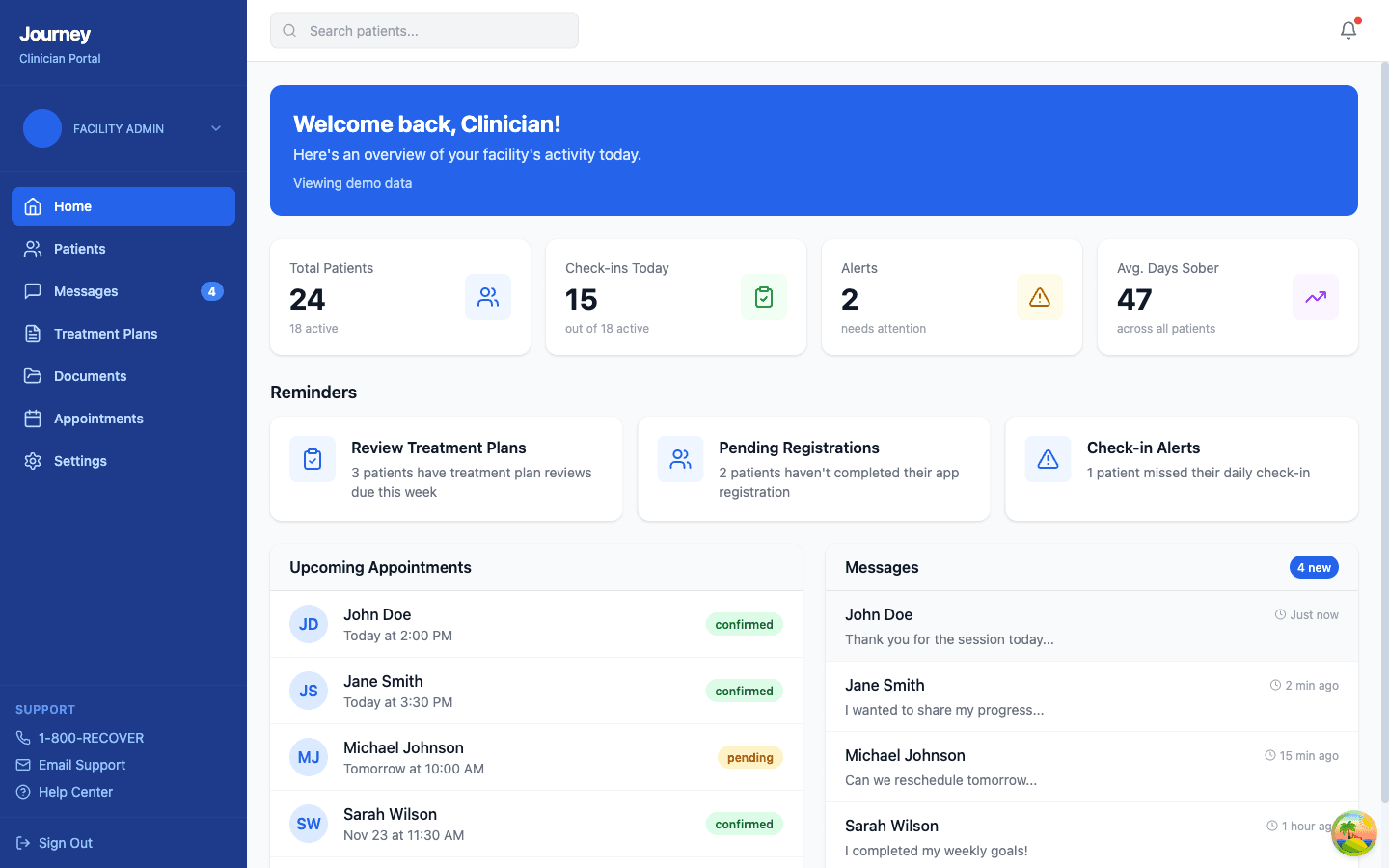
Facility Dashboard
Real-time overview of your facility's operations — everything you need to start your day.
- Patient census with active, pending, and discharged counts
- Daily check-in monitoring — see which patients checked in today
- Alert system — missed check-ins, pending registrations, treatment plan reviews
- Appointment overview — today's schedule with confirmation status
- Message preview — latest patient messages with unread count
Mobile App Integration
Patient check-ins from the Recover mobile app appear here in real-time. When a patient completes their daily mood check-in on their phone, the dashboard updates automatically.
Clinicians get a complete picture of facility activity in one glance — no need to check multiple systems.
Patient Management
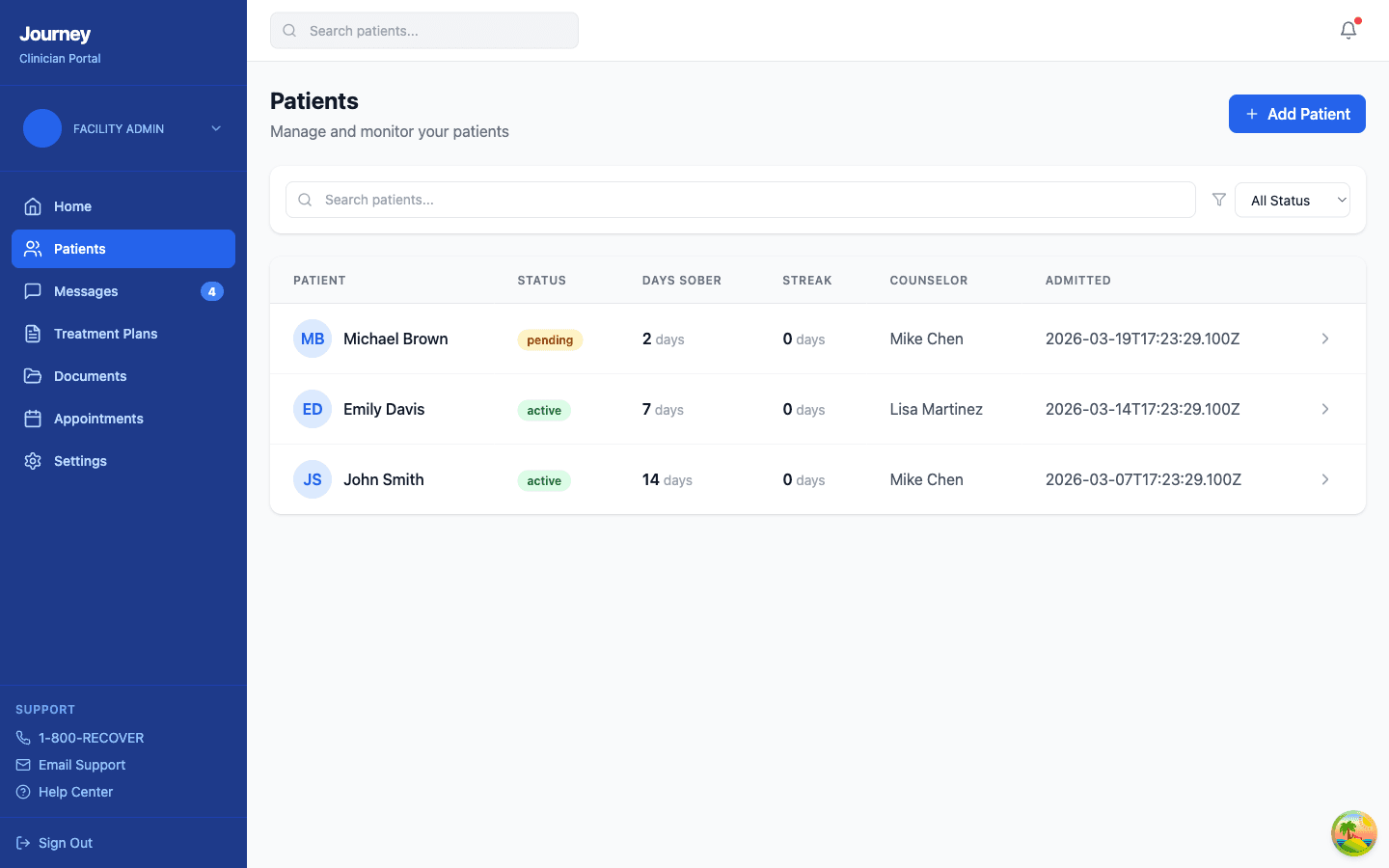
Complete patient lifecycle from intake to discharge — every record in one place.
- Searchable patient list with status badges (active, pending, discharged)
- Days sober and check-in streak tracking per patient
- Assigned counselor visibility
- Add new patient with registration key generation
- Filter by status — All, Active, Pending, Discharged
- Click through to detailed patient profile with documents, timeline, and check-ins
Mobile App Integration
Each patient gets a unique registration key to connect the Recover mobile app to their facility record. Once connected, their check-ins, cravings, and progress sync automatically.
Staff can monitor every patient's recovery status at a glance without waiting for manual updates.
HIPAA-Compliant Messaging
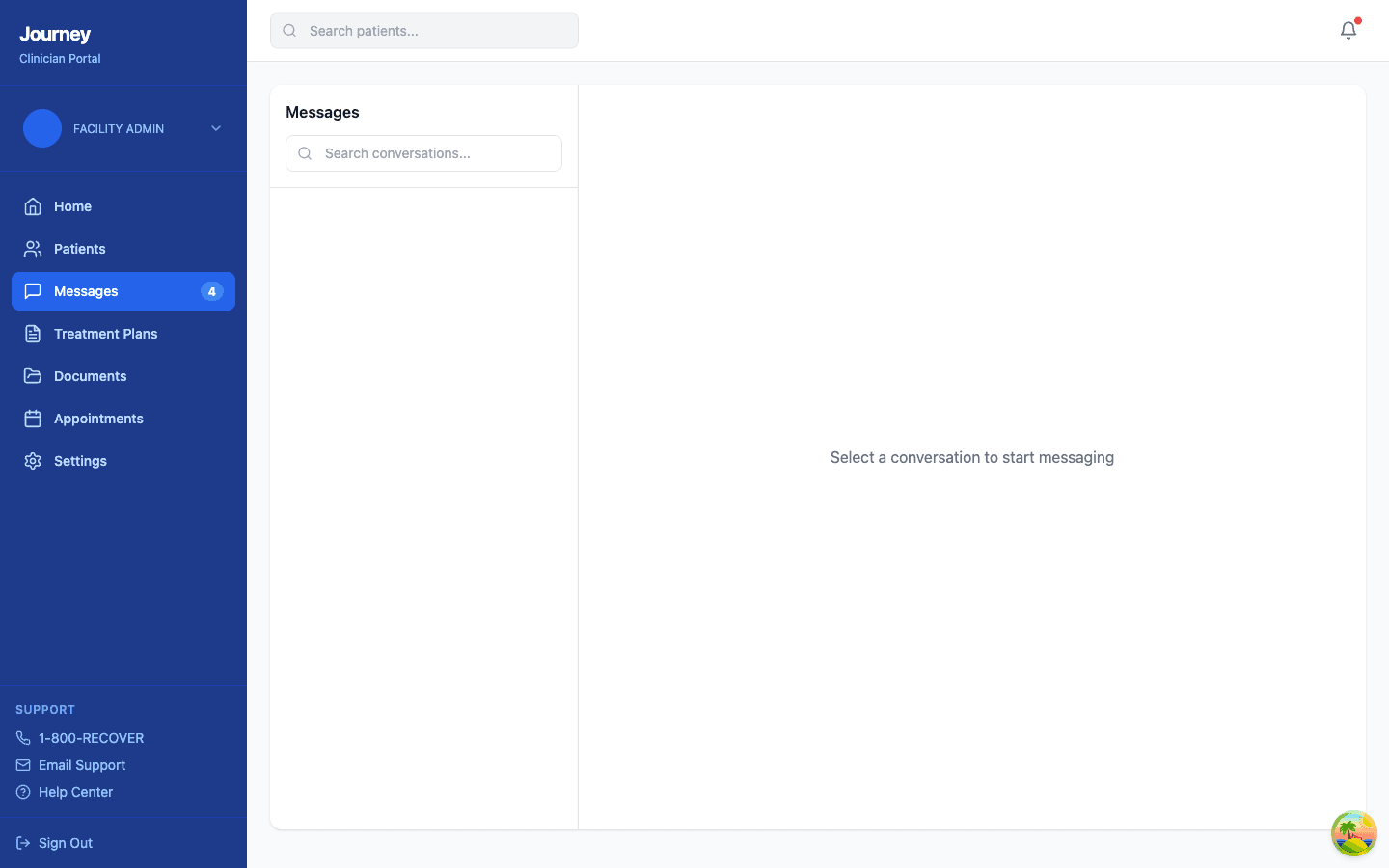
Real-time, encrypted communication with patients — every message audited.
- WebSocket-based real-time messaging — no page refreshes needed
- Conversation list with search
- Unread message badge count
- Full audit trail for every message (who sent what, when)
- End-to-end encryption in transit
Mobile App Integration
Patients send messages from the Recover app's Facility tab. Messages appear instantly on the clinician's Messages page. All communication is logged for HIPAA compliance.
Replace unsecured text messages and phone tag with a compliant, auditable messaging system.
Treatment Plan Builder
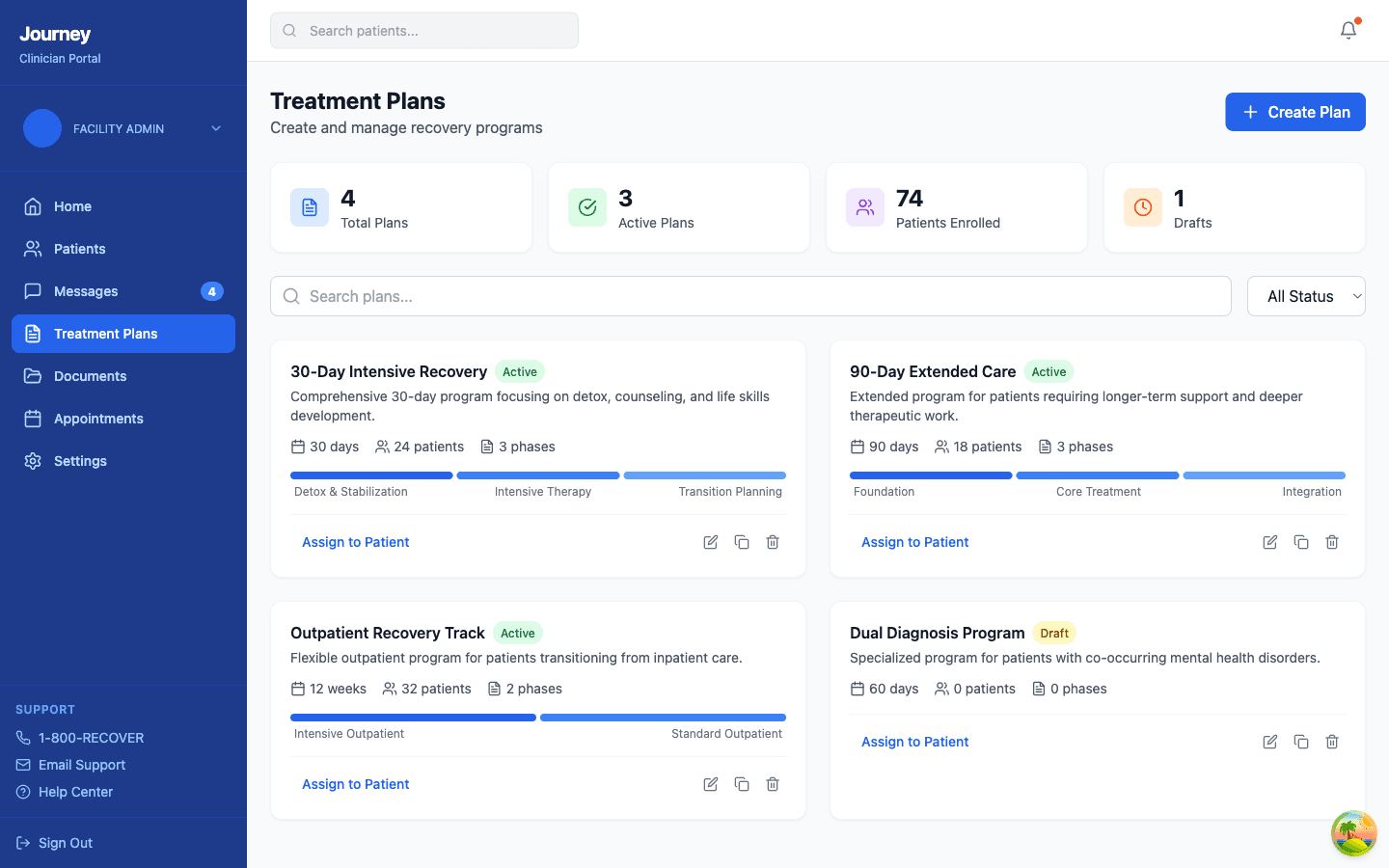
Create, manage, and assign structured recovery programs with phase-based tracking.
- Multiple plan types: 30-day intensive, 90-day extended, outpatient, dual diagnosis
- Phase-based progress visualization with color-coded bars
- Patient enrollment counts per plan
- Assign plans to individual patients
- Draft / Active / Archived status management
- Stats overview: total plans, active plans, enrolled patients, drafts
Mobile App Integration
Patients can view their assigned treatment plan in the Recover app's Facility tab. They see their current phase, upcoming milestones, and goals — keeping them engaged in their own recovery.
Standardize treatment protocols across your facility while still customizing for individual patients.
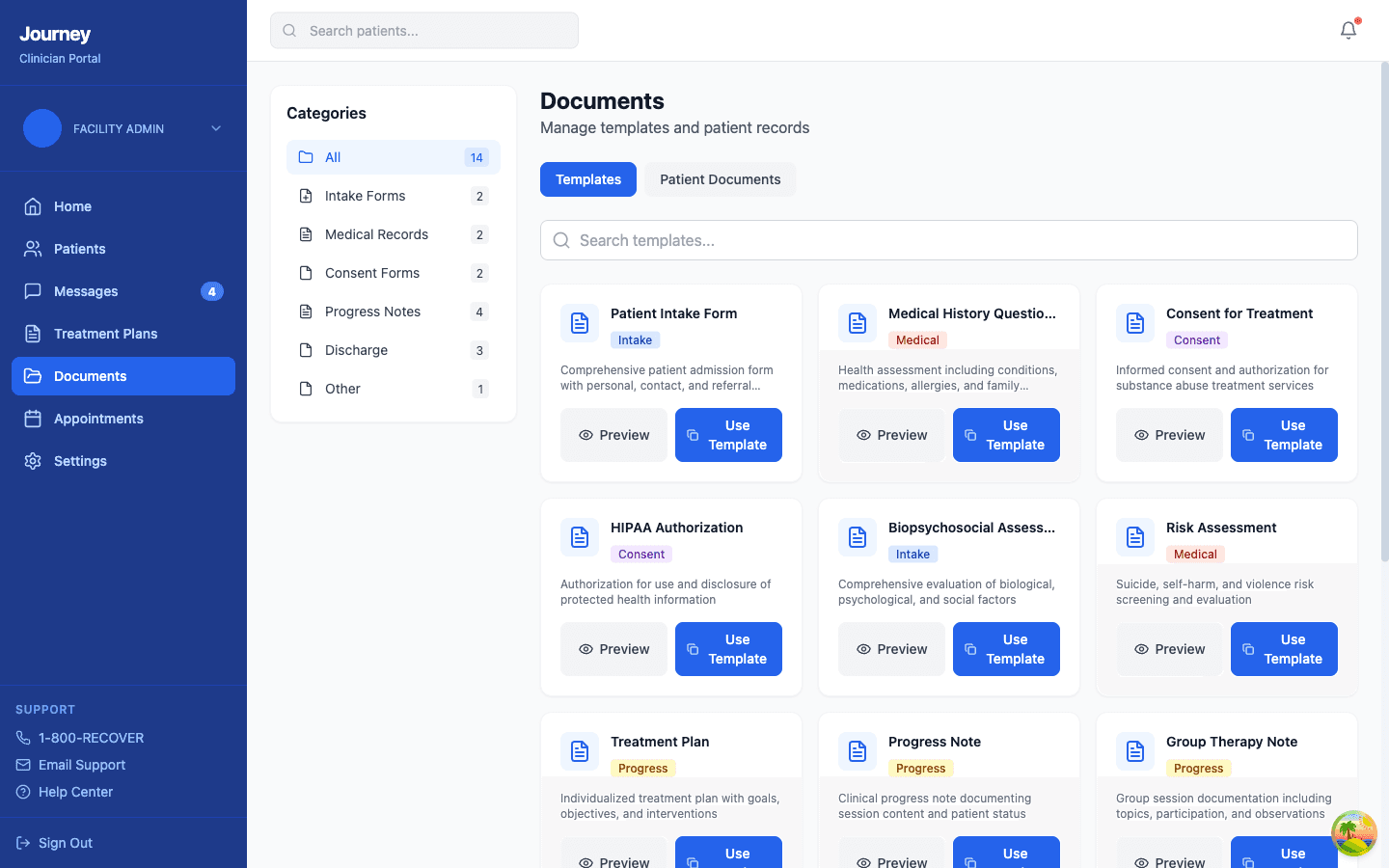
Document Management
14 clinical form templates with smart form-fill technology — no more paper.
- Template library: intake forms, medical history, consent, HIPAA authorization, biopsychosocial, risk assessment, treatment plan, progress notes, discharge summary, aftercare plan, and more
- Category sidebar with counts — Intake, Medical, Consent, Progress, Discharge, Other
- “Use Template” creates a patient-specific copy — stock templates can never be modified or deleted
- Smart form renderer: underscores become proper input fields, checkboxes become real checkboxes
- Patient Documents tab for filled-out copies
- Preview mode for read-only viewing
Mobile App Integration
Completed documents are linked to patient profiles. When clinicians fill out intake forms or progress notes, that documentation connects directly to the patient record accessible from both Journey and the Recover app.
Eliminate paper forms. Smart form-fill means no more messy underlines or broken formatting — just clean, professional clinical documentation.
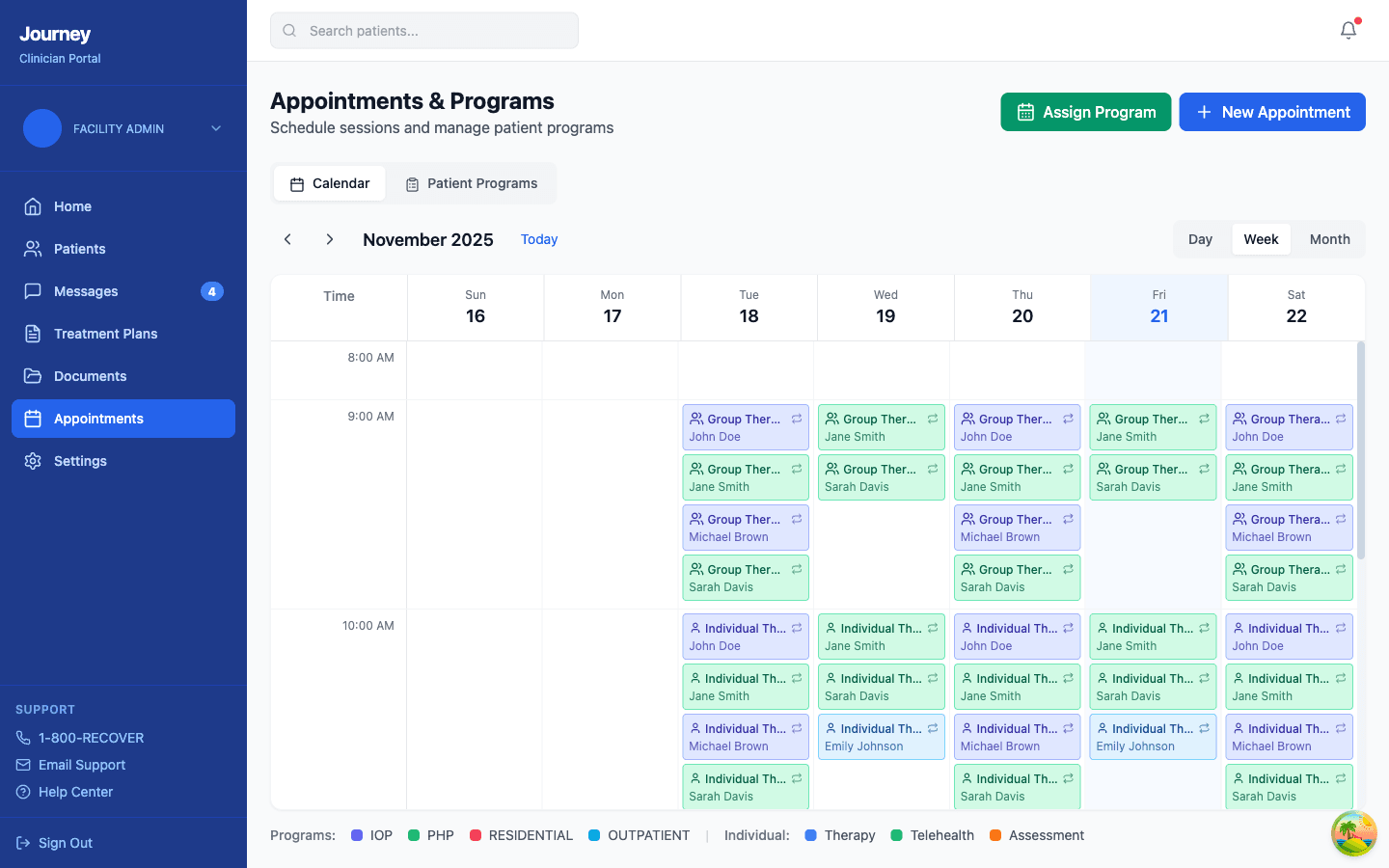
Appointment Scheduling
Visual calendar with color-coded sessions and program management.
- Weekly calendar view with Day / Week / Month toggles
- Color-coded appointment types: Group Therapy, Individual Therapy, Psychoeducation, Medical Consultation, Art Therapy, Family Session, Case Management
- Program management: IOP, PHP, Residential, Outpatient tracks
- New appointment creation with patient assignment
- Program assignment to patients
- Confirmation status tracking
Mobile App Integration
Patients see their upcoming appointments in the Recover app's Calendar tab. Appointment reminders can be sent as push notifications on their phone.
Visual scheduling prevents double-bookings and ensures every patient gets their required therapy hours.
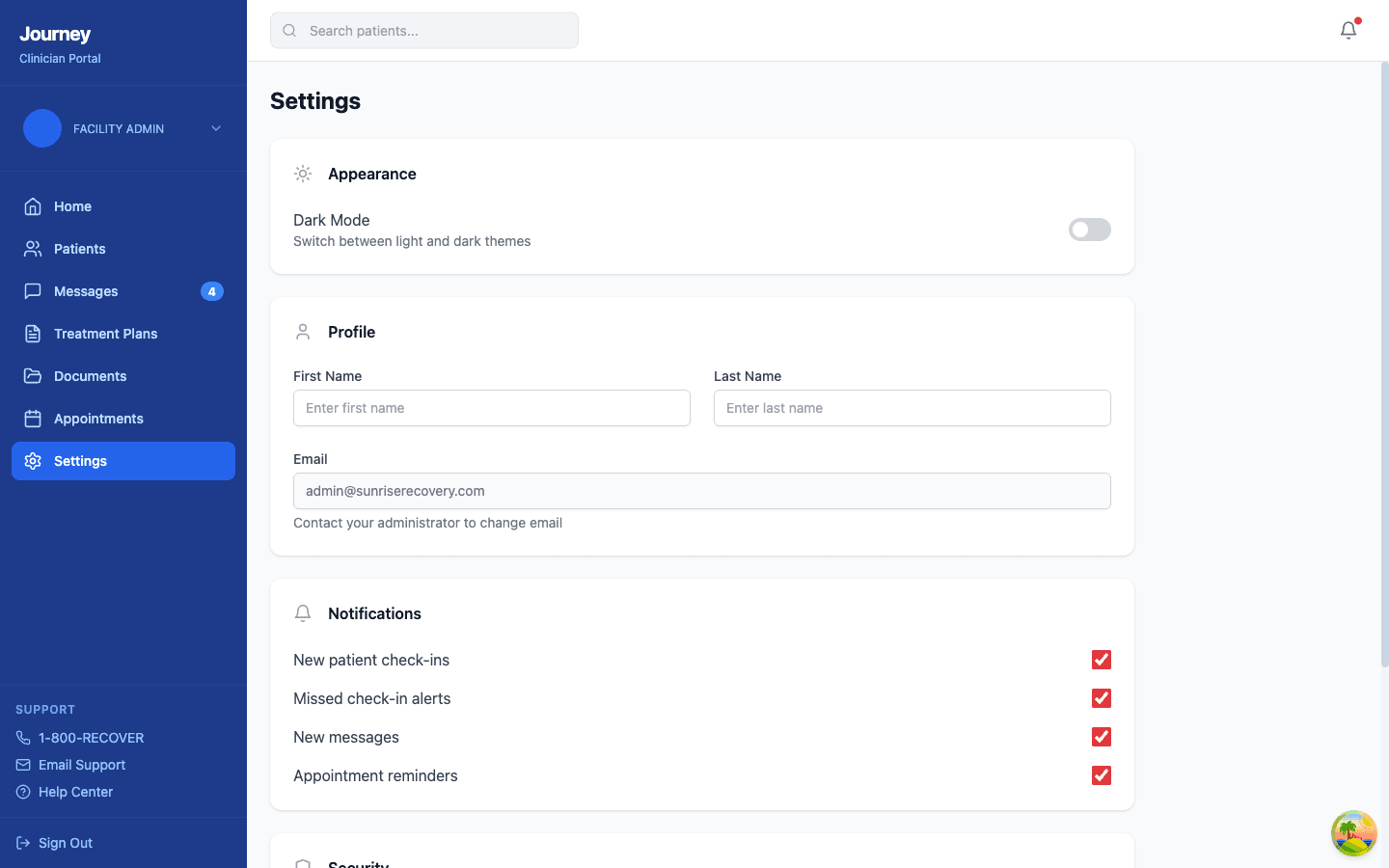
Settings & Security
Account management and HIPAA security controls — compliant by default.
- Appearance: dark / light mode toggle
- Profile management: name, email (admin-controlled)
- Notification preferences: check-ins, missed alerts, messages, appointments
- Security: password change, two-factor authentication setup
- Session timeout: automatic logout after 15 minutes of inactivity
Mobile App Integration
Security settings are enforced server-side. The same session timeout and 2FA requirements apply whether staff access Journey from a desktop or any device.
One click to enable 2FA. HIPAA session timeout built in — your facility is compliant by default.
Ready to see more?
Explore the patient-facing Recover app or schedule a personalized demo with our team.